

Technical SEO for electrician websites
Technical SEO is the plumbing: the behind-the-scenes work that lets Google crawl, understand and rank your site, and lets a customer on a phone actually use it. Get it wrong and even brilliant content struggles. The good news, for a small electrician site there isn’t a huge amount of it, but the details bite if you ignore them.
Site structure
Keep it shallow and logical. Your key services belong in the main navigation, each service-and-location gets its own page, and nothing important should be more than a click or two from the homepage, the harder a page is to reach, the less Google rates it. Use clean, keyword-led URLs like yoursite.co.uk/eicr-testing-bristol rather than yoursite.co.uk/page?id=42. For a small electrician site you don’t need deep nested folders; a flat structure off the root domain is easier for Google to crawl and easier for you to keep tidy. This ties straight back to your internal linking, structure and links are two halves of the same job.
Breadcrumbs belong in that structure too. They’re the little trail near the top of a page, like Home, Services, Fuse Box Upgrades, and they’re a cheap win. Someone who lands deep in your site from Google can see where they are and get back up a level without hammering the back button, and the trail reinforces how your pages fit together. Plenty of WordPress themes have a breadcrumb switch built in, and Yoast SEO has a breadcrumb feature if yours doesn’t. And yes, breadcrumbs help an electrician’s site rank: every crumb is an internal link that tells Google how your pages fit together. Don’t count on Google showing the trail in your listing (it only appears on desktop now), but the links do their job either way.
For breadcrumbs specifically, see my guide to breadcrumb SEO for electricians.
Mobile optimisation: this is your real website now
Here’s the bit that catches electricians out. Google uses mobile-first indexing, which means it judges and ranks your site based on the mobile version, not the desktop one. Your mobile site isn’t a scaled-down afterthought, to Google it is your site. And that’s fair enough, because an emergency electrician search is almost always someone standing in a dark kitchen with their phone.
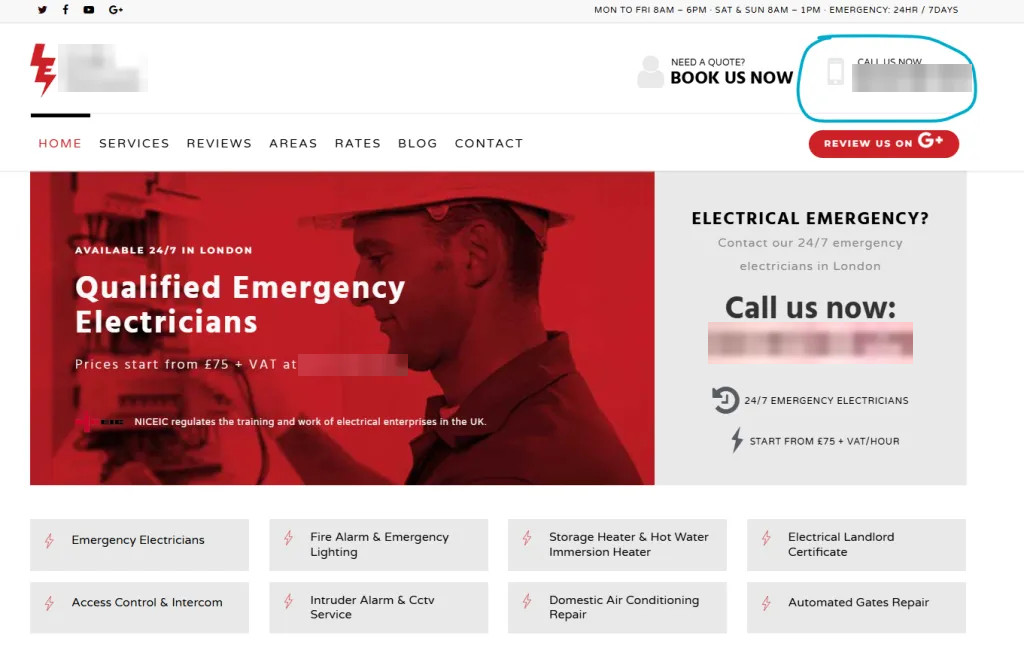
So the whole thing has to work like a dream on a phone: text should resize, images should shrink, and the menu should turn into a simple, tap-friendly button. Your job is to make the page say, in the first five seconds: I’m local, I’m available, and here’s how to reach me. That means a sticky header with a tap-to-call number, a collapsible hamburger menu, text no smaller than 16px, buttons spaced for a thumb, and contact forms cut right back to name, phone and job description. What it doesn’t mean is full-screen popups, autoplay videos or a cookie banner that swallows the screen, all of which send people straight back to the results.
The step-by-step version is in my guide to mobile optimisation for electrician websites.
Site speed
Speed is both a ranking factor and a conversion factor: a slow site loses you Google positions and impatient customers, so it’s worth obsessing over a little. Test yours with Google PageSpeed Insights (and GTmetrix if you want a second opinion), then work through what it flags.
The usual culprits are predictable. Images are nearly always the worst offender, so compress them before they ever go up using something like TinyPNG or Squoosh, or serve them as WebP. On WordPress, a caching plugin such as WP Rocket or SiteGround’s Speed Optimizer clears a lot of common issues in minutes, and a decent host does the rest. Resist the urge to pile on heavy sliders, pop-ups and a dozen plugins, every one is weight. Aim for green “Core Web Vitals” in Search Console, which is Google’s own measure of how fast and stable your pages actually feel to a real user, and re-test after each change rather than guessing.
You don’t have to do all this yourself.
Reading it is one thing; doing it properly, month after month, is another. Hand it over and you can get back to what you’re brilliant at, the actual electrical work, and get your evenings back.
Indexing and crawling
None of your pages can rank if Google can’t find or index them, and this is where a small, silent mistake can cap an entire site. Make sure you have an XML sitemap (Yoast or Rank Math generate one automatically), submit it in Google Search Console, and then actually check Search Console for pages sitting under “not indexed”. The classic own goal is a stray “noindex” tag left on by a theme or a half-finished page, or a robots.txt rule quietly blocking a section of the site, so nothing you publish there ever shows up. It’s invisible from the front end, which is exactly why it goes unnoticed for months.
Canonical tags: one page, one version
A canonical tag is a line of code in a page’s head that tells Google “this is the main version of this page, rank this one”. Google treats it as a strong hint rather than an order, so the aim is to make your site agree with itself. A small electrician site doesn’t need many, but three situations crop up again and again. First, tracking links: send a Facebook ad to yoursite.co.uk/fuse-box-upgrades?utm_source=facebook and Google can see it as a separate page from the clean yoursite.co.uk/fuse-box-upgrades, so the tracked version should point its canonical at the clean one. Second, near-identical location pages, say EV charger installs for Leeds and York where only the town name changes. The proper fix is to make each page genuinely different, with local jobs and local reviews, and only where pages really must stay similar do you canonical the weaker ones to the strongest. Third, the http, https, www and non-www versions of your site, which should all redirect to one version (see the non-negotiables below).
Two habits keep it simple. Give every page a canonical that points at itself, which Yoast and Rank Math will do for you (both let you override it per page in the advanced settings), and always use the full URL rather than just the slug. And don’t send mixed signals: a page that points its canonical at another page shouldn’t also be set to noindex. A canonical is for pages that stay live, so if you’ve removed or merged a page, use a 301 redirect instead and send visitors and Google to the new one.
More detail, including how to set them in WordPress, is in my guide to canonical tags for electricians.
Schema markup
Schema (structured data) is a bit of extra code that spells your business out to Google in a language it can’t misread. A LocalBusiness or Electrician schema stating your name, address, phone, opening hours and reviews reinforces your local relevance and can earn you richer-looking results, stars, hours and the like, right there in the listing. Most SEO plugins add the basics, but a properly filled-out local-business schema is one of those quiet advantages that’s well worth setting up and getting right.
The non-negotiables
Finally, the unglamorous foundations, boring, but a crack here undermines everything you build on top. Your site must run on HTTPS (the padlock in the address bar); there should be just one version of your domain, with www redirecting to non-www, or vice versa, and http redirecting to https, so Google isn’t trying to rank four copies of the same site; and you want no broken links and a sensible 404 page for when something does go missing. Get these in place once and they largely look after themselves.
Technical SEO is mostly set-and-forget, but it’s exactly the area where one overlooked setting quietly caps everything else you’re paying for. A technical health check is built into every campaign, and into maintenance mode. Message me on WhatsApp.
Rather not poke around the technical side?
It’s all here, free, for you to run yourself. But it’s a lot to stay on top of, so if you’d rather just get the leads, I’ll take the whole lot off your plate.
You’ve got the full playbook. Want it done for you instead?
Everything you need to run this yourself is right here, free. But if you’d rather spend your days on the tools and your evenings off, send me a WhatsApp and I’ll run the lot, leads in 90 days or the next 90 are on me.